Choosing the right Enterprise Resource Planning (ERP) software is an important decision for any growing business. An ERP system does much more than manage accounting or inventory - it connects departments, centralizes business data, automates processes, and provides management with better visibility into day-to-day operations.
However, with so many ERP solutions available in the market, choosing the right one can be challenging. A system that works perfectly for one organization may not be suitable for another. The right ERP should match your business processes, industry requirements, growth plans, budget, and technology environment.
So, how do you choose the right ERP software for your business?
This guide covers the key factors businesses should consider before selecting and implementing an ERP system.
What Is ERP Software?
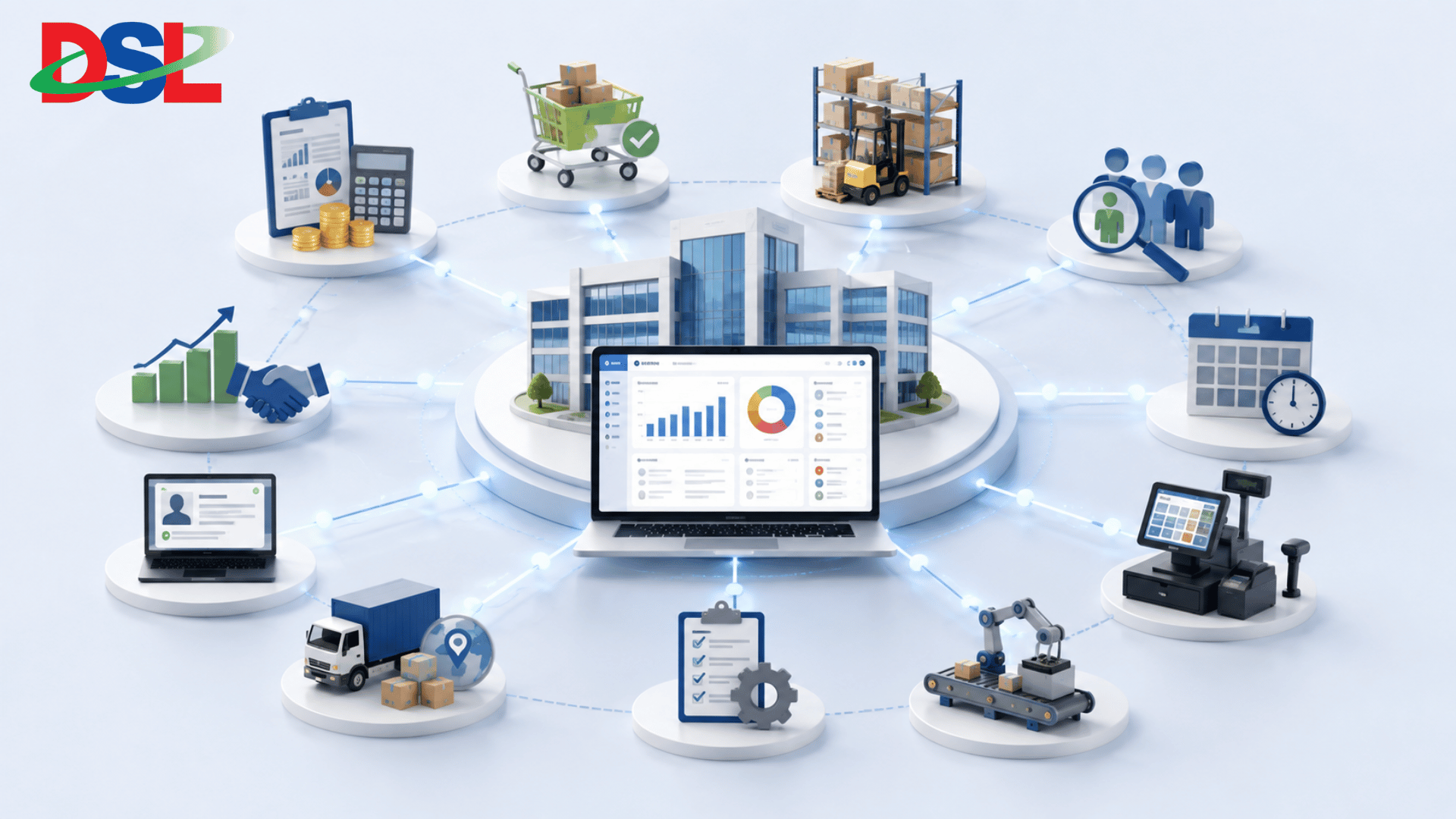 ERP, or Enterprise Resource Planning, is a business management system that integrates multiple organizational functions into a centralized platform.
Depending on the business and industry, an ERP system may include:
Accounting and Finance
Sales and CRM
Procurement
Inventory and Warehouse Management
Human Resource Management
Payroll
Production and Manufacturing
Point of Sale (POS)
Supply Chain Management
Project Management
Reporting and Business Intelligence
Instead of managing these functions through separate spreadsheets and disconnected applications, an ERP brings relevant information together in one system.
The result is better data visibility, reduced manual work, improved coordination, and more informed decision-making.
Why Choosing the Right ERP Matters
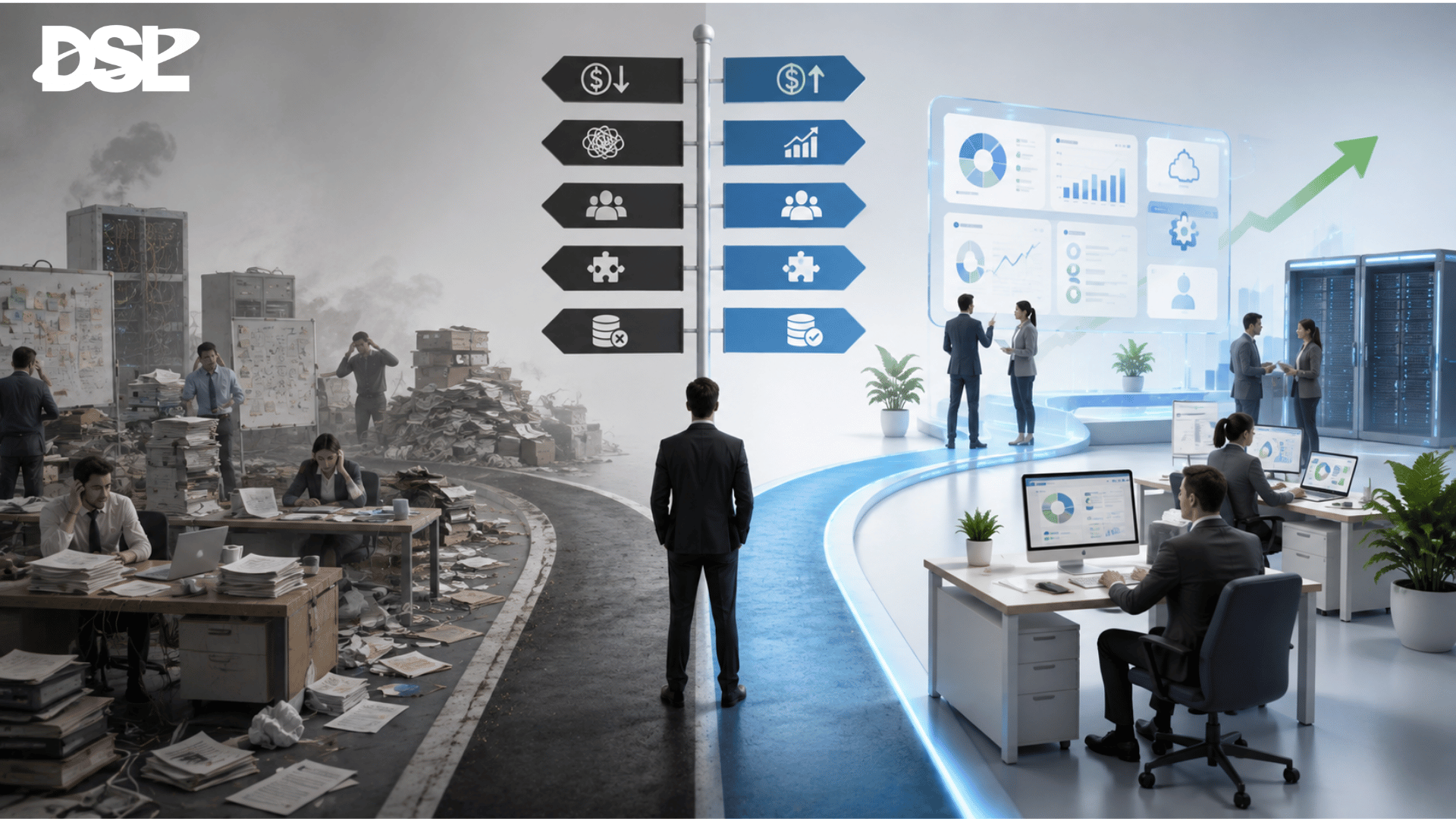
ERP implementation is not simply a software purchase. It can affect how your employees work, how departments communicate, how data is managed, and how management makes decisions.
Choosing the wrong ERP can result in:
Unnecessary implementation costs
Complex and inefficient workflows
Poor user adoption
Limited integration capabilities
Difficult customization
Data migration problems
Higher maintenance costs
Poor scalability as the business grows
On the other hand, the right ERP can help your organization automate repetitive tasks, improve operational visibility, reduce data duplication, and establish more structured business processes.
That is why ERP selection should begin with your business requirements - not with a list of software features.
1. Start by Identifying Your Business Requirements
The first step is to understand what your business actually needs.
Before contacting ERP vendors, identify the challenges your organization currently faces.
Ask questions such as:
Which business processes are still manual?
Where are employees spending too much time?
Which departments use separate systems?
Where do data errors frequently occur?
Is management getting reports on time?
Are inventory records accurate?
Is financial information available in real time?
Are sales and customer information properly organized?
What problems do you expect to solve with ERP?
Create a list of your requirements and divide them into three categories:
Must-Have: Features that are essential for business operations.
Important: Features that significantly improve productivity but are not immediately critical.
Future Requirements: Features that may become necessary as the business grows.
This approach prevents you from selecting an ERP simply because it has a large number of features.
2. Make Sure the ERP Fits Your Business Processes
Every business has its own workflow.
A manufacturing company may require production planning, raw material management, quality control, and supply chain functionality. A trading company may focus more on procurement, inventory, sales, distribution, and accounting. A service organization may prioritize CRM, project management, HR, and financial management.
Therefore, the ERP should fit your operational model.
During the selection process, ask the vendor to demonstrate how the system handles your actual business processes.
3. Evaluate the Core ERP Modules
 An ERP should provide the modules your organization actually needs.
Depending on your business, important modules may include:
Finance & Accounting
Look for capabilities such as general ledger, accounts payable, accounts receivable, budgeting, financial reporting, and transaction management.
Sales & CRM
The system should help manage leads, customers, sales activities, quotations, orders, and customer relationships.
Procurement
Procurement functionality should support purchase requisitions, purchase orders, supplier management, approvals, and purchasing workflows.
Inventory Management
Inventory management should provide visibility into stock levels, warehouses, transfers, adjustments, and product movements.
Human Resource Management
HR functionality may include employee information, leave management, attendance, payroll, recruitment, and performance management.
Manufacturing
For manufacturing organizations, important capabilities can include production planning, bill of materials, work orders, raw material management, and production tracking.
Reporting & Dashboard
Management should be able to access meaningful reports and dashboards without depending entirely on the IT team for every business report.
The goal is not to choose an ERP with the most modules. The goal is to choose an ERP with the right modules for your organization.
4. Check Integration Capabilities
Modern businesses rarely operate with a single software application.
Your ERP may need to communicate with:
Banking systems
Payment gateways
E-commerce platforms
Websites
CRM applications
HR systems
POS systems
Mobile applications
Third-party business applications
Government or regulatory platforms
Therefore, integration capability should be one of your major ERP selection criteria.
Ask potential vendors:
Does the ERP provide APIs?
Can it integrate with existing applications?
How is data synchronized?
Can third-party applications be connected?
What integration support is available?
Can future integrations be added?
An ERP that cannot communicate with your existing technology environment can create another data silo instead of eliminating one.
5. Consider Customization and Flexibility
Not every business can operate with a completely standard workflow.
You may have specific approval processes, industry requirements, reporting formats, organizational structures, or operational rules that need customization.
However, customization should be approached carefully.
Too much customization can make an ERP expensive and difficult to maintain. Too little flexibility can force employees to change efficient business processes unnecessarily.
The ideal solution should provide a balance between:
Standard ERP functionality + Configuration + Necessary Customization
Before selecting a vendor, understand what can be configured, what requires customization, and what may require third-party integration.
6. Think About Scalability
Your ERP should not only support your business today - it should be capable of supporting your business tomorrow.
As your organization grows, you may add:
More employees
More branches
More warehouses
More products
More customers
New business units
New locations
Additional modules
Ask whether the ERP can scale with those requirements.
A scalable ERP can help you avoid replacing the entire system when your business expands.
7. Evaluate Cloud, On-Premise, or Hybrid Deployment
Deployment is another important consideration.
Cloud ERP
Cloud-based ERP systems are generally accessible through the internet and can reduce the need for businesses to maintain their own infrastructure.
On-Premise ERP
An on-premise system gives organizations greater control over their infrastructure and deployment environment but may require more responsibility for hardware, maintenance, security, and upgrades.
Hybrid ERP
Some organizations may benefit from a combination of cloud and on-premise systems depending on their operational and security requirements.
The right choice depends on your business size, infrastructure, security requirements, budget, accessibility needs, and IT capabilities.
8. Look Beyond the Software Price
ERP cost should not be evaluated only by the initial license or subscription price.
Consider the Total Cost of Ownership (TCO).
Your evaluation may include:
Software licensing or subscription
Implementation
Customization
Data migration
Integration
Hardware or cloud infrastructure
Employee training
Technical support
Maintenance
Upgrades
Future module additions
A low-cost ERP may become expensive if it requires extensive customization or has poor support.
Similarly, a higher initial investment may provide greater long-term value if the system significantly improves productivity and business control.
The key question should be:
What business value will the ERP deliver over its lifetime?
9. Assess Data Security
Your ERP will contain some of your organization's most important information.
This may include financial records, employee information, customer data, supplier information, inventory data, and business transactions.
Therefore, security should be evaluated before selecting an ERP.
Look for capabilities such as:
Role-based access control
User permissions
Authentication
Audit trails
Data backup
Secure data transmission
Access monitoring
Disaster recovery mechanisms
You should also understand how the vendor handles system updates, backups, security incidents, and data protection.
10. Consider User Experience and Adoption
Even the most powerful ERP will not deliver value if employees do not use it effectively.
A complicated interface can increase training requirements and reduce user adoption.
During an ERP demo, involve representatives from different departments and ask them to evaluate the system.
Consider:
Is the interface easy to understand?
Can employees complete common tasks efficiently?
Are dashboards useful?
Is information easy to find?
Does the system support mobile or remote access where required?
What training will users receive?
Employee involvement during ERP selection can make implementation significantly smoother.
11. Evaluate the ERP Vendor and Implementation Partner
Choosing ERP software is only one part of the decision.
The implementation partner can have a major impact on the success of the project.
Before selecting a vendor, evaluate:
Industry experience
ERP implementation experience
Technical expertise
Customization capability
Integration experience
Data migration support
Training services
After-sales support
Maintenance services
Understanding of your business requirements
Ask for relevant project experience and case studies where possible.
A reliable implementation partner should be able to understand your business processes - not simply demonstrate software features.
12. Ask About Implementation and Data Migration
ERP implementation involves more than installing software.
A typical implementation may involve:
Requirement Analysis → Process Mapping → Configuration → Customization → Data Migration → Integration → Testing → Training → Deployment → Support
Data migration deserves particular attention.
Your existing data may be stored across spreadsheets, legacy software, databases, or different departmental systems.
Before implementation, determine:
What data needs to be migrated?
What data should be cleaned?
What historical records need to be retained?
How will data accuracy be verified?
Who will validate the migrated data?
A well-planned implementation reduces disruption and improves the transition to the new ERP environment.
13. Request a Customized ERP Demonstration
A standard product demo may not give you a complete understanding of whether the ERP is suitable for your business.
Instead, provide the vendor with a few real business scenarios.
For example:
Sales: Lead → Quotation → Sales Order → Delivery → Invoice → Payment
Procurement: Purchase Requisition → Approval → Purchase Order → Goods Receipt → Supplier Invoice → Payment
HR: Employee → Attendance → Leave → Payroll → Reporting
Ask the vendor to demonstrate these workflows using your requirements.
This allows your team to evaluate the ERP based on actual business operations rather than marketing presentations.
Common Mistakes to Avoid When Choosing ERP Software
 Businesses often make several mistakes during ERP selection.
Choosing Based Only on Price
The cheapest ERP may not provide the functionality, scalability, or support your business requires.
Choosing Too Many Features
More features do not automatically mean a better ERP. Unnecessary functionality can increase complexity and cost.
Ignoring Employees
Employees are the primary users of the system. Their feedback should be considered during selection and implementation.
Underestimating Integration
If your ERP cannot integrate with important existing systems, you may create new operational challenges.
Ignoring Future Growth
Selecting an ERP only for today's requirements can create problems when your business expands.
Focusing Only on Software
The implementation partner, training, customization, support, and maintenance are equally important.
Skipping the Testing Phase
Thorough testing before deployment can identify workflow, data, integration, and usability problems before they affect live operations.
Choose an ERP That Grows With Your Business
 Selecting the right ERP is ultimately about finding the right balance between business requirements, functionality, usability, scalability, security, integration, cost, and long-term support.
There is no universal ERP that is perfect for every organization. The best ERP is the one that fits your current business processes while providing the flexibility to support future growth.
For businesses in Bangladesh and beyond, working with an experienced technology partner can make the ERP selection and implementation process more structured and effective.
Build a Smarter Business with Daffodil Software Ltd.
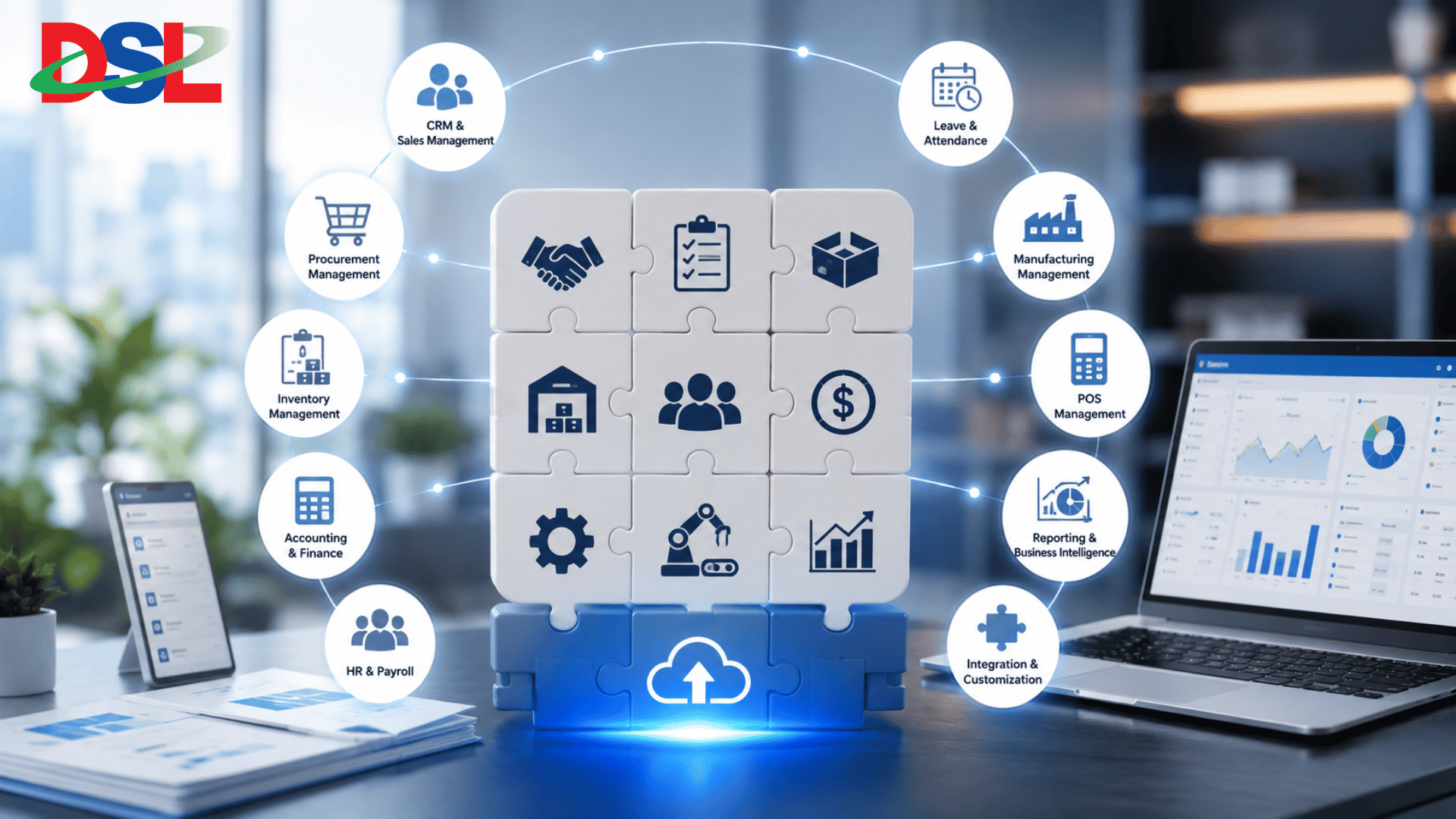 At Daffodil Software Ltd., we understand that every organization has different operational requirements. Our ERP solutions are designed to help businesses bring key processes together, automate workflows, improve data visibility, and make better business decisions.
Our ERP capabilities can support areas such as:
CRM & Sales Management
Procurement Management
Inventory Management
Accounting & Finance
HR & Payroll
Leave & Attendance
Manufacturing Management
POS Management
Reporting & Business Intelligence
Workflow Automation
Integration & Customization
Whether you are replacing spreadsheets, upgrading an existing business management system, or implementing ERP for the first time, the right approach starts with understanding your business.
Final Thought
ERP should not be viewed simply as software for managing business transactions. It is a platform for creating more connected, transparent, and efficient business operations.
Take the time to understand your requirements, evaluate potential solutions, involve your users, calculate the total investment, and choose an implementation partner that understands your business.
The right ERP is not necessarily the one with the most features - it is the one that delivers the most value to your business.